When Windows 10 launched in 2015 it changed the privacy default on hundreds of millions of PCs in one afternoon. A decade later the controversy has cooled, but the underlying business model has not. Windows 11 and Windows 12 still ship with telemetry, advertising IDs, and cloud sync turned on out of the box. The names have changed. The settings still need attention.
Key takeaways
- The 2015 Windows 10 settings still exist — Microsoft renamed them, moved some to the cloud, and added a few more. They are all in Settings > Privacy & Security.
- Advertising ID is still on by default in Windows 11 and 12. Turn it off in two clicks.
- Diagnostic data is the modern equivalent of "telemetry." You can set it to Required only.
- Wi-Fi Sense was killed in 2017, but Microsoft account sync now covers passwords, clipboard, and browser history. Audit what is syncing.
- Cortana is largely deprecated. Copilot replaced it and has its own data settings worth reviewing.
A quick history: what the 2015 controversy was actually about
The original concern was that Windows 10, by default, did all of the following without prompting:
- Assigned every user a unique advertising ID tied to their Microsoft account
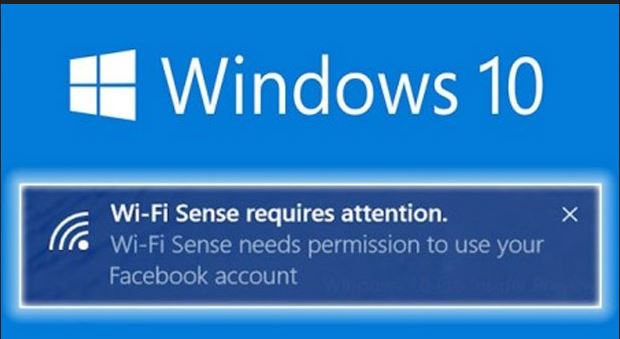
- Synced Wi-Fi passwords to Microsoft servers via the "Wi-Fi Sense" feature
- Sent Cortana voice samples and queries to the cloud for processing
- Allowed the Edge browser to deliver personalized ads
- Reserved the right to read user content if Microsoft believed it was needed to enforce its terms
The express install button accepted all of this in one click. Most users never knew. The custom install gave you opt-outs but buried them several screens deep.
"We will access, disclose and preserve personal data, including your content (such as the content of your emails, other private communications or files in private folders), when we have a good faith belief that doing so is necessary to protect our customers or enforce the terms governing the use of the services." — Microsoft Services Agreement, 2015 (substantially similar language is still in place in 2026)
What changed between 2015 and 2026
Wi-Fi Sense is gone
Microsoft killed the Wi-Fi password sharing feature in 2017 after the security industry refused to stop talking about it.
Cortana is mostly retired
Cortana the standalone assistant has been pulled from Windows 11 (and was never a focus in Windows 12). Its replacement is Copilot, which has its own data and history settings.
Forced updates remain
The 2015 model of pushing updates whether you want them or not is now the industry norm. You can pause updates for up to 5 weeks on Windows 11 and Windows 12 Pro, but you cannot disable them entirely without enterprise tools.
New collection categories
Activity history, location history, voice clips for speech recognition improvement, app launch counts, and inking and typing personalization have all been added since 2015.
The 2026 privacy checklist for Windows 11 and Windows 12
Open Settings > Privacy & Security. Walk through the left sidebar and decide on each toggle. The high-impact ones:
General
- Let apps show me personalized ads by using my advertising ID — off
- Let websites show me locally relevant content by accessing my language list — off
- Let Windows improve Start and search results by tracking app launches — off
- Show me suggested content in the Settings app — off
Speech, Inking & Typing
- Online speech recognition — off unless you actively dictate
- Inking and typing dictionary — off
Diagnostics & Feedback
- Diagnostic data — set to Required only
- Improve inking and typing — off
- Tailored experiences — off
- View diagnostic data — turn on briefly so you can see what is being collected, then turn off again
- Delete diagnostic data — click once to clear what is already there
Activity history
- Store my activity history on this device — off (unless you use Task View timeline)
- Clear activity history — click once
Location, Camera, Microphone, Notifications, Account info, Contacts, Calendar, Phone calls, Messaging, Radios, Other devices
Each of these pages lists every app that has requested access. Revoke anything that does not need it. Most apps installed from the Microsoft Store request more than they actually use.
Copilot and AI features
Copilot is integrated at the OS level in Windows 11 24H2 and later, and is deeply embedded in Windows 12. Two settings to audit:
- Recall (where available) — the feature that periodically screenshots your screen for AI summarization. Off by default in 2026 after the 2024 outcry, but worth confirming.
- Copilot history sync — your prompts can sync across devices via your Microsoft account. Disable in Copilot > Settings if you do not want that.
Microsoft account vs local account
The single biggest privacy lever is whether you sign in with a Microsoft account or a local account. A Microsoft account syncs passwords, clipboard, OneDrive files, Edge browsing history, and themes. A local account does not. Windows 11 Home now makes local-account setup harder, but it is still possible during install if you disconnect from the network at the right step.
The bottom line
The 2015 lesson was that defaults are the product. Software companies will collect everything they can collect by default and trust that most users will never look. That has not changed and it is unlikely to. The 15 minutes you spend in Settings > Privacy after every fresh install is the highest-ROI privacy work you will do all year.
FAQ
Is the original 2015 Windows 10 privacy issue still relevant?
The specific implementations have changed but the pattern has not. Microsoft still collects telemetry, still assigns advertising IDs, and still defaults most users into cloud sync. The 2015 advice to do a custom install and audit Settings > Privacy applies cleanly to Windows 11 and 12.
Does turning off diagnostic data break anything?
No. Setting diagnostic data to Required only keeps Windows Update, security patches, and basic crash reporting working. It only stops the optional usage tracking.
Can I still use a local account in Windows 11 and 12?
Yes, though Microsoft has made it harder. Windows 11 Pro still offers a domain join path that lets you create a local account. Windows 11 Home and Windows 12 require disconnecting from the network during setup or using the bypassnro command in the install OOBE.
What about Windows Recall?
Recall is the AI feature that screenshots your activity for later search. Microsoft made it opt-in by default after security researchers showed how easily the database could be exfiltrated. If you turned it on and changed your mind, you can disable it in Settings > Privacy & Security > Recall & snapshots and delete the existing snapshots.
Are third-party privacy tools like O&O ShutUp10 still needed?
Less so than in 2015 because Microsoft now exposes most settings in the Settings app. Tools like O&O ShutUp10++ and W10Privacy still surface a few group-policy and registry tweaks the GUI does not expose, which is useful for Pro and Enterprise users.


Comments (0)
Be the first to comment.
Leave a comment