Working with your hands all day means your phone is the worst tool in the truck. Voice-to-text fixes that — and it has been quietly built into every modern browser and Android phone for years.
Key takeaways
- Web Speech API is built into Chrome, Edge, Safari iOS 14.5+, and the Android WebView. No app install needed.
- A 3-tap dictation workflow captures a full service note in roughly 8 seconds.
- Modern Android runs the speech model on-device — audio never leaves the phone.
- Saying "period," "comma," "new line" inserts real punctuation. Numbers convert to digits automatically.
- Firefox still does not support the API — plan a typed fallback for those users.
Why typing on the job site fails
Watch a working tradesperson try to type a note on their phone:
- Wipe hand on shop towel.
- Realize hand is still greasy.
- Wipe on a different shop towel.
- Realize the screen is also greasy.
- Use a knuckle to unlock the phone.
- Discover the on-screen keyboard does not work with knuckles.
- Give up. Write nothing.
- Three weeks later, you cannot remember why that invoice was so weird.
This is a real workflow problem most service-business owners just absorb as a cost of doing business. It is also the reason invoices get under-billed, parts get forgotten, and disputes get lost.
The 3-tap dictation workflow
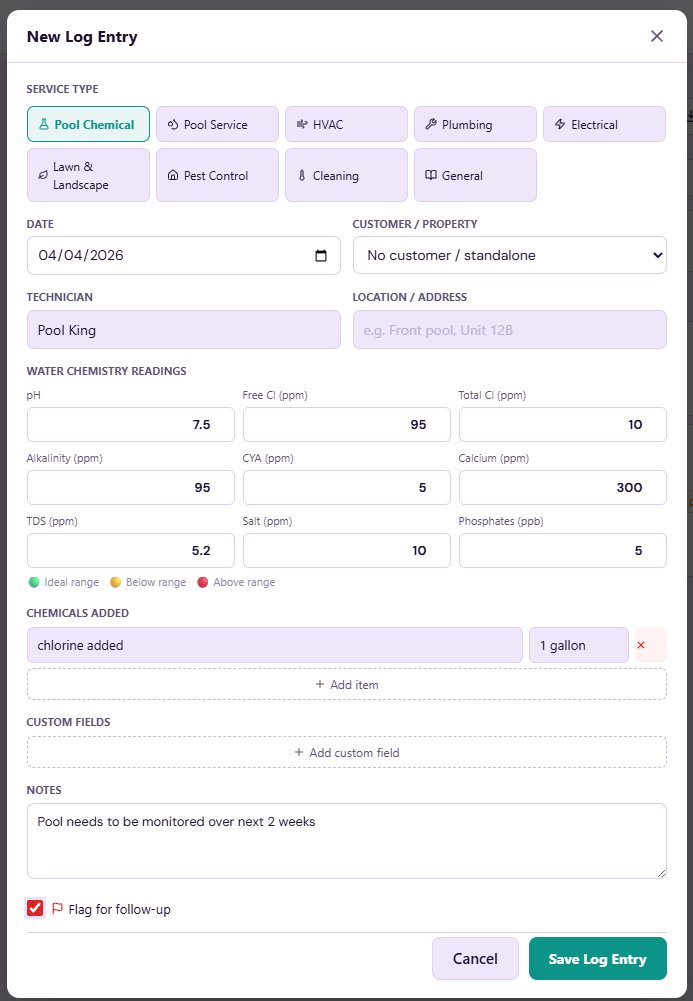
Tap 1. Open the note field on the invoice, work order, or service log you are filling out.
Tap 2. Tap the mic icon. On any modern Android browser, this is built directly into the keyboard. On a web app, look for a small mic button under the textarea.
Tap 3. Speak. "Replaced the kitchen P-trap and tightened the cold supply line. Recommend the customer also replace the angle stops in six months." Tap the mic again to stop.
The transcript drops into the textarea. Skim it for errors, save. Total elapsed time: roughly 8 seconds.
What modern speech recognition actually handles
The mic uses the device's native SpeechRecognition engine — the same one behind Google Assistant and Siri dictation. Which means:
- Trade jargon transcribes correctly. "P-trap," "angle stop," "TXV valve," "GFCI outlet" all work because the underlying models are trained on broad vocabularies.
- Light background noise is fine. An active job site is no problem. A running jackhammer ten feet away is.
- Interim results stream as you speak, so you can see whether the engine is mishearing in real time.
- It runs offline on modern Android. The speech model ships with the device.
Browser and platform support
Voice dictation rides on the Web Speech API. Coverage as of 2026:
- Chrome on Windows, Mac, Linux, and Android
- Edge on Windows and Mac
- Safari on iOS 14.5 and newer
- Android system keyboard in any app
- Firefox still does not support it — same story since 2018
If a customer or worker is on Firefox, plan for typed fallback. Otherwise, assume voice is available.
Permission, privacy, and what gets sent where
The first time you tap the mic, the browser or OS asks for microphone permission. Tap Allow once and the permission sticks. If you accidentally tap Deny, you have to fix it in device settings — there is no in-app reprompt.
On Chrome and modern Android, short utterances are processed by an on-device model. Audio never leaves the phone. Longer or more complex audio may briefly route through Google's or Apple's cloud service for transcription, then is discarded.
Crucially, the apps you dictate into do not record or store audio themselves. They only see the final transcript — same as if you typed it. If you are comfortable using "Hey Google" or Siri, you are comfortable with this.
Tricks people forget
Punctuation by voice. Say "period" or "comma" and you get real punctuation. "Replaced the P trap period Recommend angle stop replacement period" becomes "Replaced the P trap. Recommend angle stop replacement."
New lines. Say "new line" or "new paragraph" to break up a long note.
Numbers convert. "Charged one hundred eighty five dollars and fifty cents" becomes "Charged $185.50."
It appends, not replaces. Speaking adds to whatever is already in the field, so you can dictate a chunk, type a correction, then dictate again without losing earlier text.
FAQ
Does voice-to-text on my phone need internet?
On modern Android, no — the speech model runs locally. On older devices or iOS Safari, brief network access may be needed. Either way, the mic button works regardless of connection.
How accurate is phone dictation in 2026?
Native English with clear pronunciation typically lands at 95–98% accuracy. Heavy accent, fast speech, or loud background noise can drop that to 80–90%. Always skim the transcript before saving — fixing one word beats typing the whole sentence.
Is my voice recorded or analyzed by anyone?
Reputable apps never store audio. The native speech engine processes audio in real time and returns text. The audio itself is discarded once the transcript is generated.
Why doesn't voice dictation work in Firefox?
Mozilla has not shipped the Web Speech API. There is no workaround inside Firefox itself — switch to Chrome or use the OS-level dictation key on your keyboard instead.
Can I use voice dictation in airplane mode?
On Android phones from roughly 2020 onward, yes — the on-device model handles it. On iPhones, dictation generally requires network access for anything longer than a few seconds.


Comments (0)
Be the first to comment.
Leave a comment